in development

In development

Is new money coming in, or is money going out? You'll see both, side by side.

klarero is a Polymarket data site we're building. We'll send the launch email when it opens.

Join the list and we'll invite you to test klarero before it opens.

Read only. You won't connect a wallet or sign anything.

In development. Numbers are examples.

In development. Numbers are examples. Tap a picture to open it full size.

Coming soon

What klarero shows

Six parts of the site, recorded from our design prototype, which runs on example data. The design can still change before launch. Tap a video to play it.

01 · Coming soon

Big wallets on each side ($10K+ held)

In development. Numbers are examples.

What it is

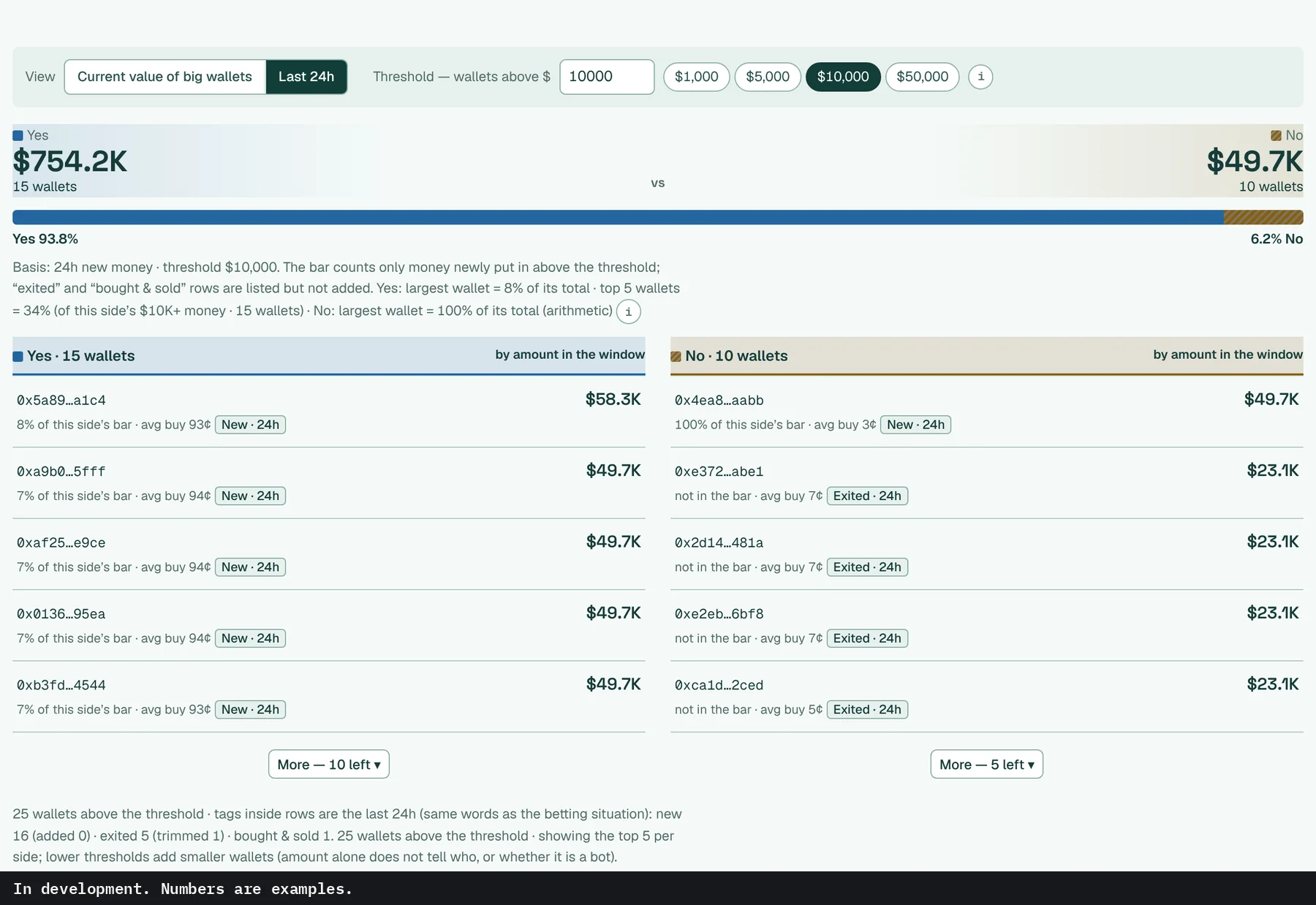
Wallets holding $10K+ in a market, split into a Yes column and a No column. Switch Holdings to Net and a wallet's shares on the other side are taken out.

Why it matters

Under Total, a wallet holding both Yes and No is listed apart from the two sides.

How to use it

  1. Read the bar first: it splits the money held by $10K+ wallets between Yes and No.
  2. Flip Total to Net, or type your own threshold.
  3. New · 24h means that wallet put money in over the last day. Exited · 24h means it took money out.
Details

Wallets holding more than a threshold, split by the side they hold. $10K+ held by default. Type any amount or tap a quick value. Total is shares per side as held, Net subtracts a wallet's shares on the other side, and One-side only keeps wallets with nothing on the other side. Each side lists its five largest, tagged if they put money in or took money out in the last 24 hours.

02 · Coming soon

Betting situation

In development. Numbers are examples.

What it is

The last 24 hours of one market: what was bought, what was sold, and how much was new money versus money leaving.

Why it matters

Volume adds buying and selling together, so a big number can be mostly people closing out.

How to use it

  1. Compare Bought with Sold.
  2. Then check New money in against Money out.
Details

Bought and sold over 24 hours, each shown on its own next to the total traded. New money in and money out get their own lines, with the largest single trade below. Trades are counted in shares and then converted to dollars.

03 · Coming soon

Wallet track record

In development. Numbers are examples.

What it is

Win rate per position, from one wallet's settled positions in our records, plus its P&L, realized and still held.

Why it matters

A wallet that buys outcomes already priced near certain can win most positions and still earn little. That's why the count and P&L sit next to the rate.

How to use it

  1. Open a wallet from the wallet list.
  2. Pick how a win counts: profit above zero on that position, or holding the winning side when it settled.
Details

Win rate is counted per position, from settled positions only. A win can be counted two ways, by profit above zero on that position or by holding the winning side when it settled, and you choose which. Either way the rate sits next to how many settled positions in our records it counts. The win-rate numbers are hidden in this preview. Our records don't cover a wallet's full history yet. P&L is split into realized and still held, and Return compares the result with the money put in.

04 · Coming soon

Money flow by 4-hour slot

In development. Numbers are examples.

What it is

New money for Yes and No, broken into six 4-hour slots across the last day.

Why it matters

A 24-hour total looks the same whether the money came in steadily or all in the last few hours.

How to use it

  1. Read left to right, oldest slot to newest. Yes and No share one scale.
Details

New money for each side in six 4-hour slots across the last 24 hours, drawn on one scale. The six bars add up to the 24h total, so the timing shows up next to the amount.

05 · Coming soon

Market list

In development. Numbers are examples.

What it is

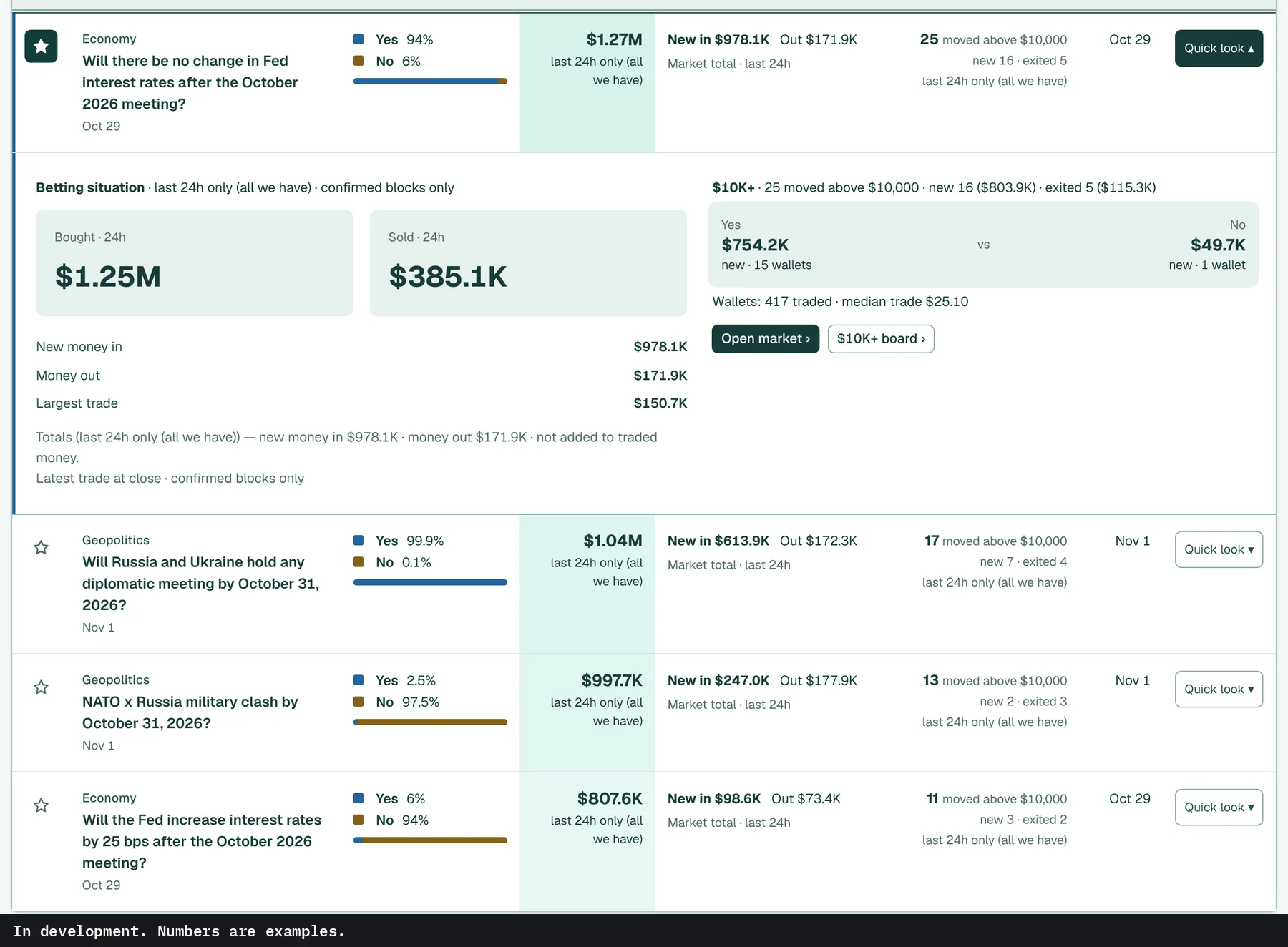
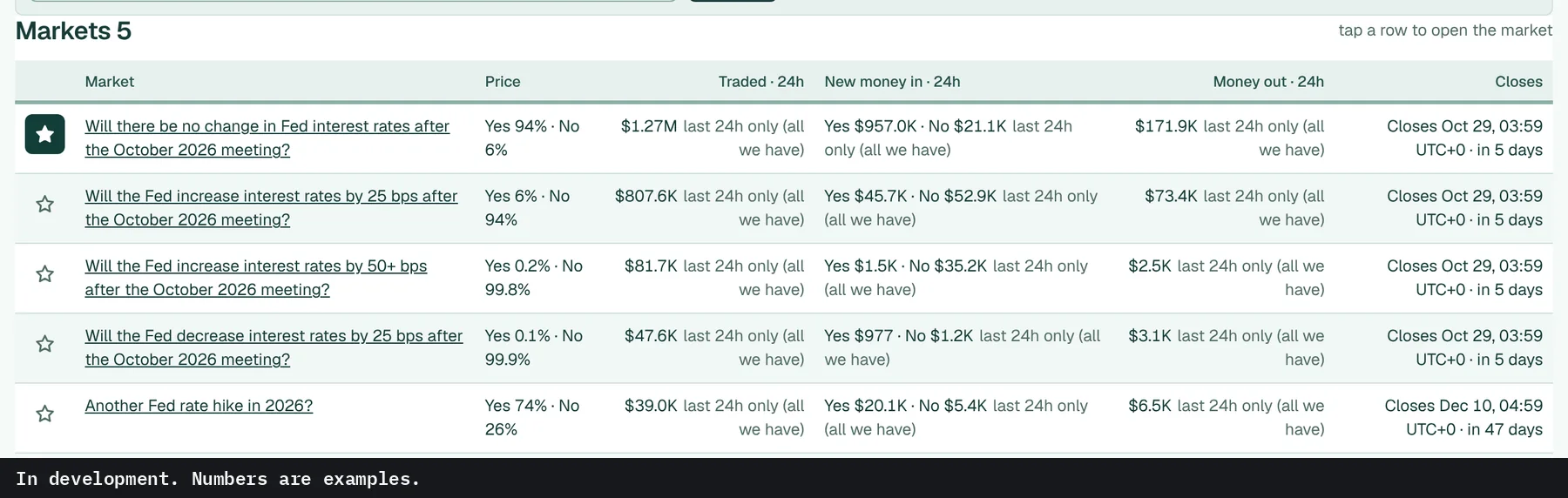
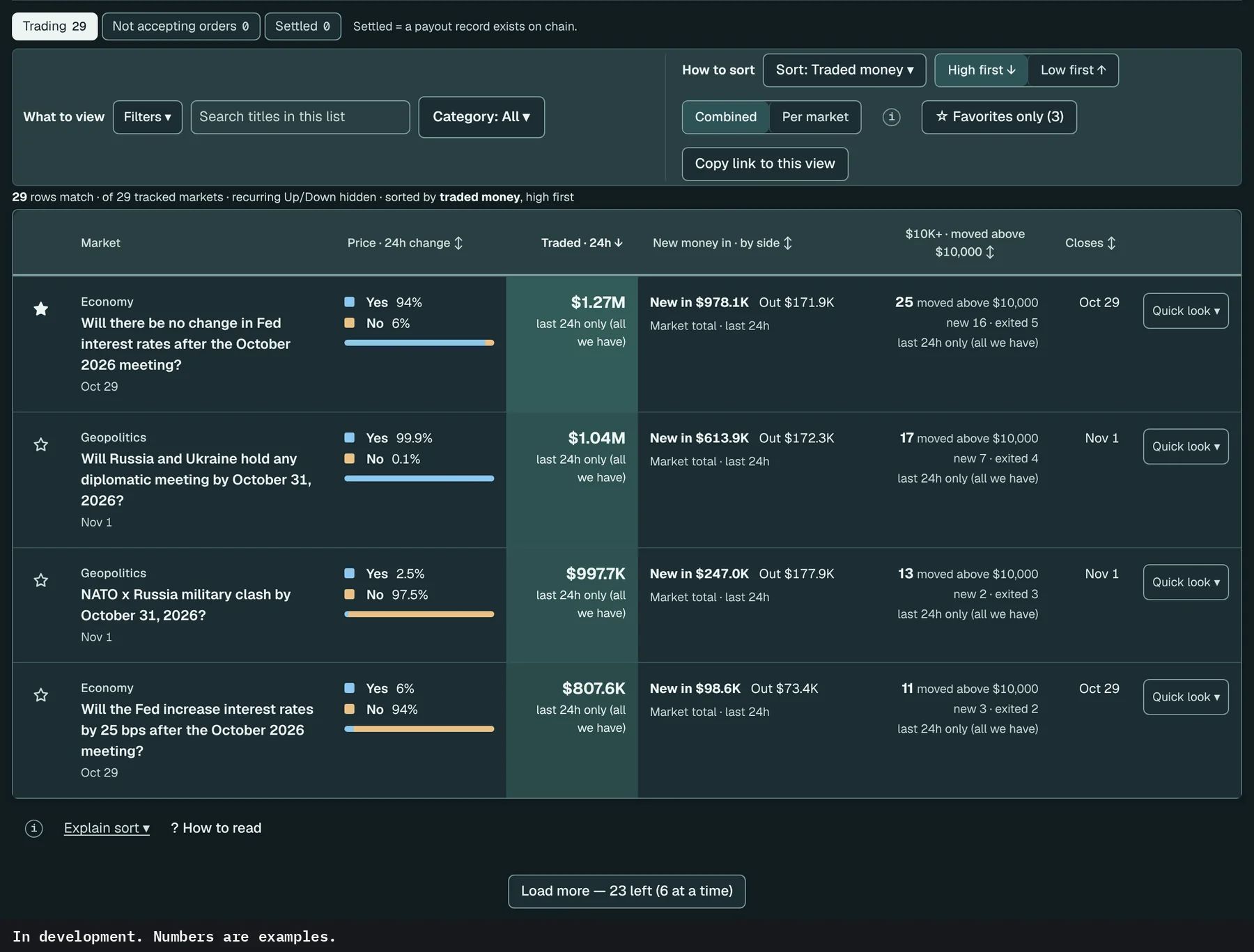
The markets we track, one row per question, with price and the last 24 hours of money.

Why it matters

Traded money alone doesn't say which way it went, so each row keeps new money in and money out apart.

How to use it

  1. Open Sort and pick New money in or Money out.
  2. The $10K+ · moved column counts wallets that moved $10K+ in the last 24 hours.
Details

Yes and No price with the 24h change, money traded, then new money in and money out shown separately. Tabs keep trading, not accepting orders and settled markets apart.

06 · Coming soon

Polymarket's rules word for word

In development. Numbers are examples.

What it is

Polymarket's resolution rules for the market, copied as written.

Why it matters

Markets resolve on the exact wording. The detail that decides one is often missing from its title.

How to use it

  1. Check the resolution source and when the context was last checked.
Details

Polymarket's rules word for word, with the resolution source, any added context, and when it was last checked. Polymarket's text decides how a market resolves, so it's shown as written.

How one market settled

21¢ → 99.5¢

"Will OpenAI resume US ChatGPT Pro signups by September 30, 2026?" Yes was about 21¢ an hour before the clarification and 99.5¢ a minute after it. Resolved Yes.

Read the rule and the clarification

Rule A qualifying plan must be the called [sic] "Pro 20x" or otherwise confirmed to be the same plan as the ChatGPT Pro 20x Plan by a consensus of credible reporting.

Clarification, Sep 30, 19:00 UTC A consensus of credible reporting confirms that the reopened plan is the same plan as the ChatGPT Pro 20x Plan for which new subscriptions were paused.

Polymarket rules, clarification and CLOB price history, pulled Oct 23, 2026, 11:45 UTC. The rules text decides. Prices change.

No date yet. Sign up and you'll get the launch email that day.

Join the waitlist

In development

What's inside, page by page

Each picture below is a screen from our design prototype, which runs on example data. The design can still change before launch.

See every feature, page by page (26 more)

01 · Coming soon

How the money is counted

The rest of the counting screens.

At a glance

One person can split money across many wallets.

Money traded in the last 24 hours, how many wallets traded, the median trade, and how many wallets moved $10K+ in 24h. The median sits next to the wallet count because one person can split money across many wallets.

At a glance strip: traded, wallets, median trade. In development. Numbers are examples.

Two views, three ways to count holdings

What they hold now and what they just added are different questions.

Current value shows what big wallets hold now. Last 24h counts only money newly put in above the threshold, and exits are listed without being added to the bar. Under Holdings, Total is shares per side as held, Net subtracts a wallet's shares on the other side, and One-side only keeps wallets with nothing on the other side. Under Total, a wallet holding both sides is listed apart from the two totals.

Big wallets, last 24h view. In development. Numbers are examples.
Last 24h view
Big wallets with a typed threshold of $25,000. In development. Numbers are examples.
Threshold typed in: $25,000

Recent trades, unconfirmed kept apart

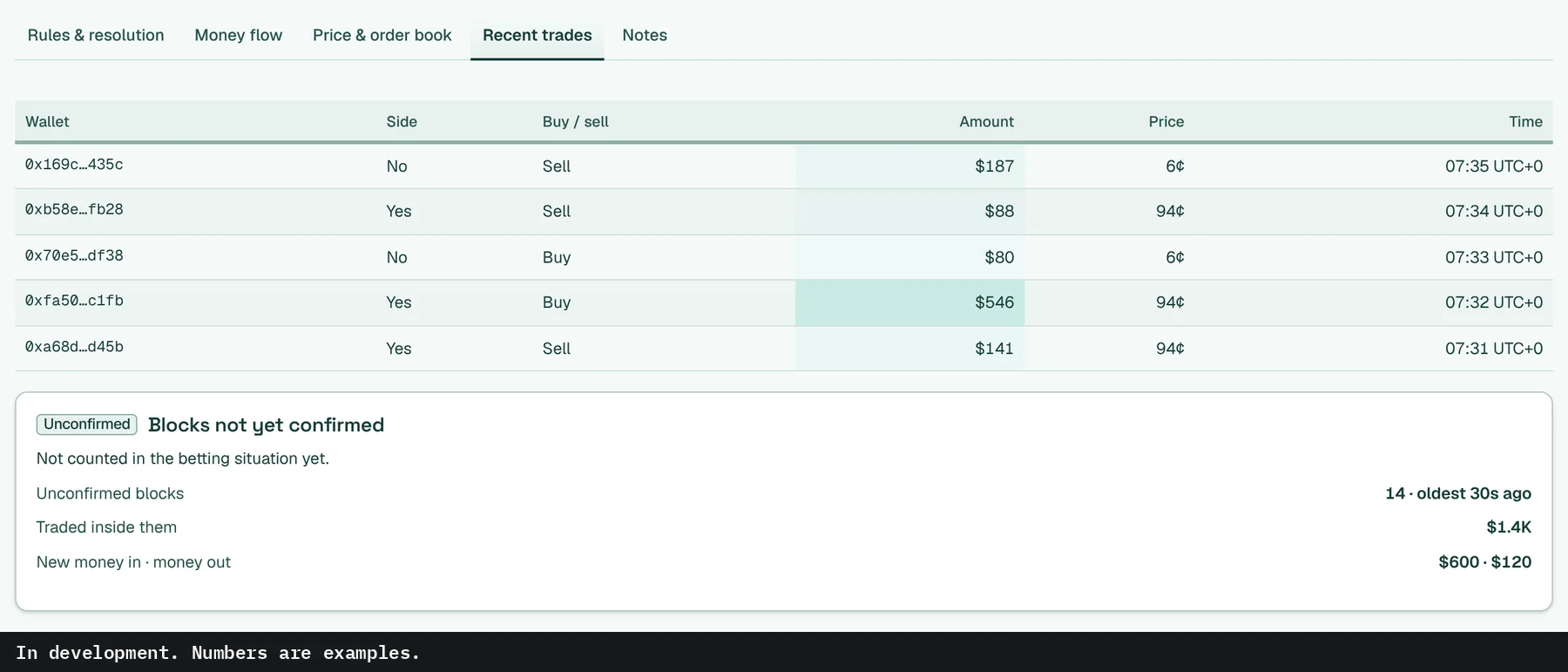
The latest trades with wallet, side, buy or sell, amount, price and time. Trades in blocks that aren't confirmed yet sit in a separate box.

Recent trades table and unconfirmed blocks. In development. Numbers are examples.
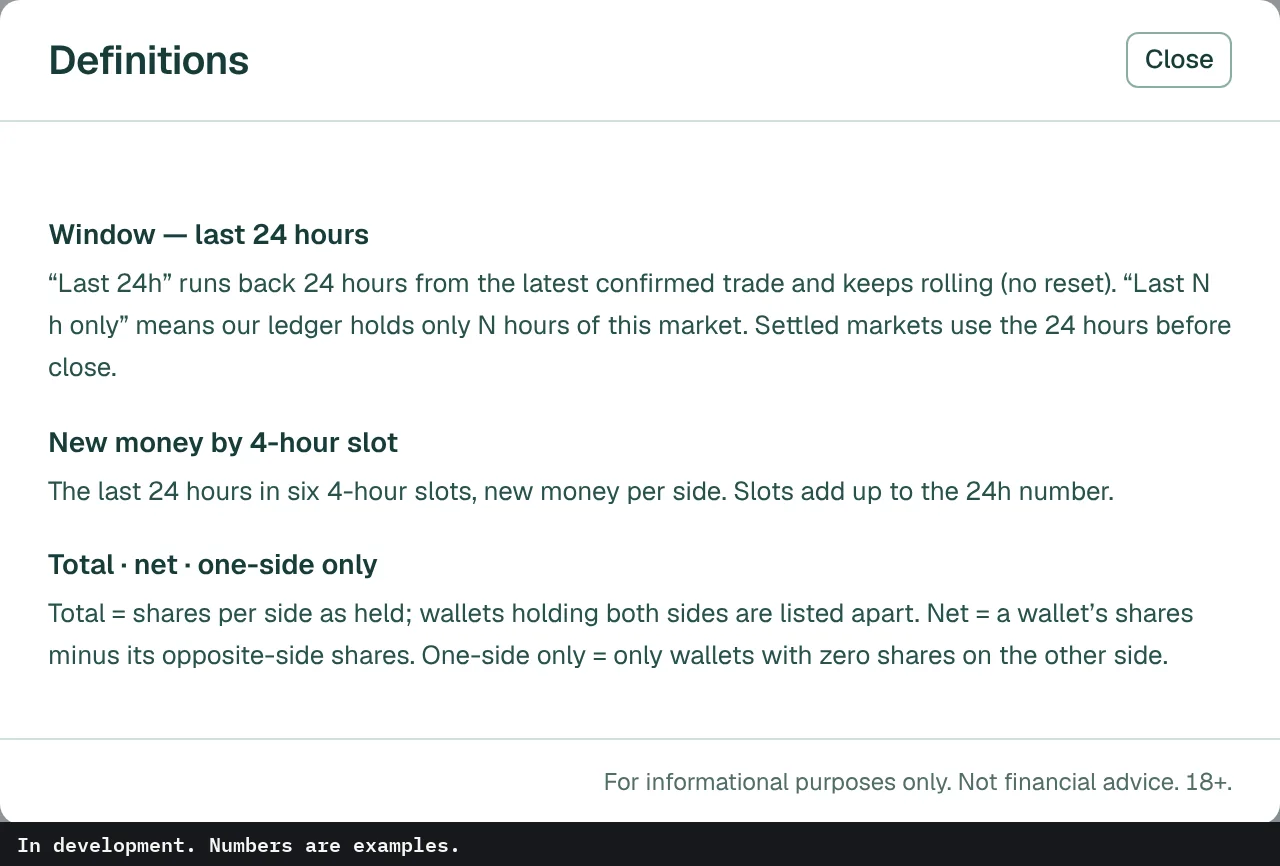
Definitions sheet. In development. Numbers are examples.

Definitions

One definition per number, wherever it shows up.

Each ⓘ opens one shared list of definitions at the matching entry, so a number means the same thing on every screen.

↑ All features

02 · Coming soon

The market list

More ways to narrow and sort the market list.

View and sort

Search titles, narrow to a category, and sort by traded money, new money in, money out, closing soon or the biggest 24h price move. Combined puts a multi-candidate question on one row and Per market splits it out. Copy link to this view saves the whole setup as a link.

View and sort toolbar. In development. Numbers are examples.
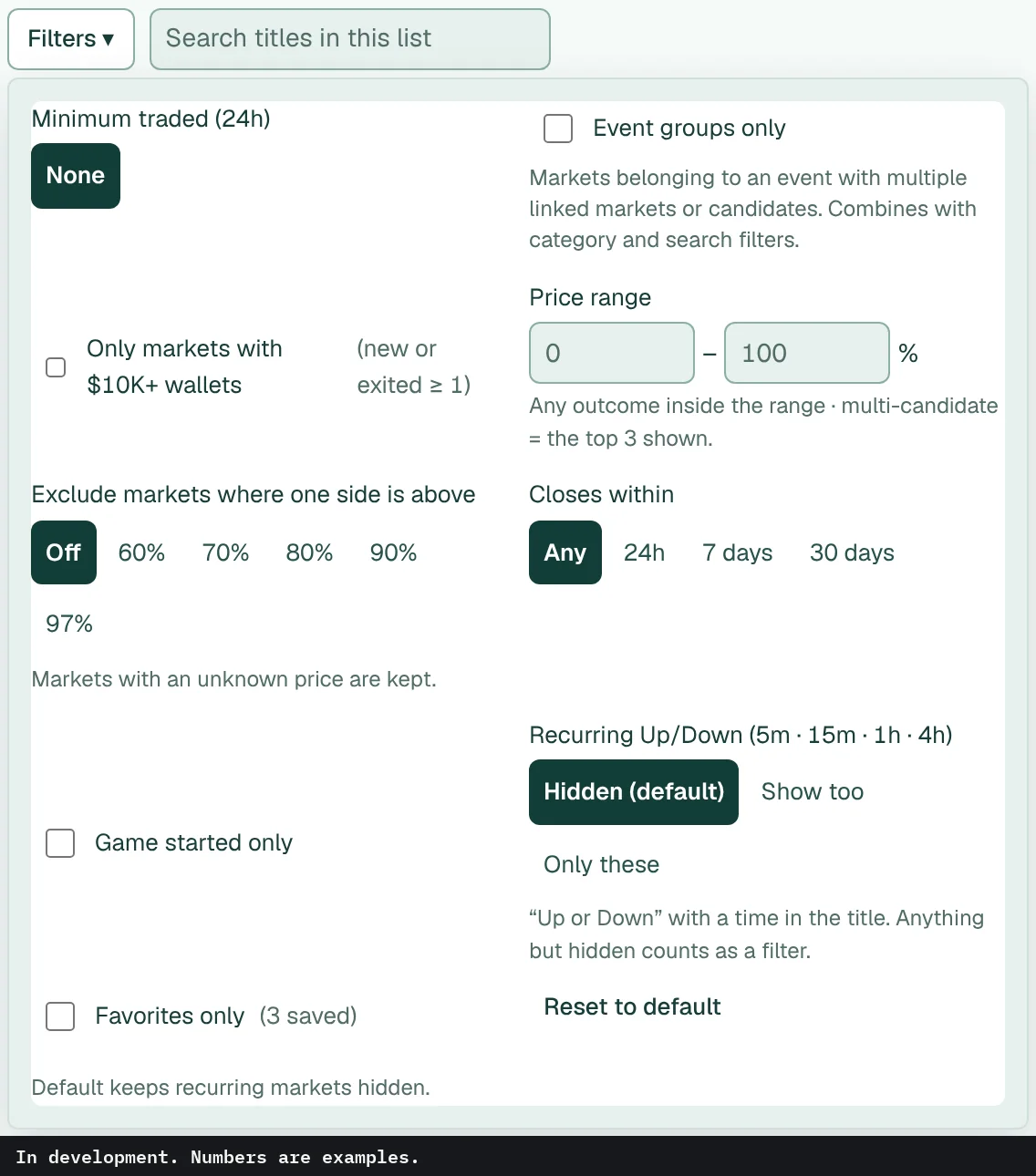
Filters menu open. In development. Numbers are examples.

Filters

A minimum traded amount, a price range, a close window of 24 hours, 7 days or 30 days. You can drop markets where one side already trades above a level you pick, like 90%, or keep only markets where at least one wallet moved $10K+ in 24h. Recurring Up/Down markets stay hidden unless you turn them on.

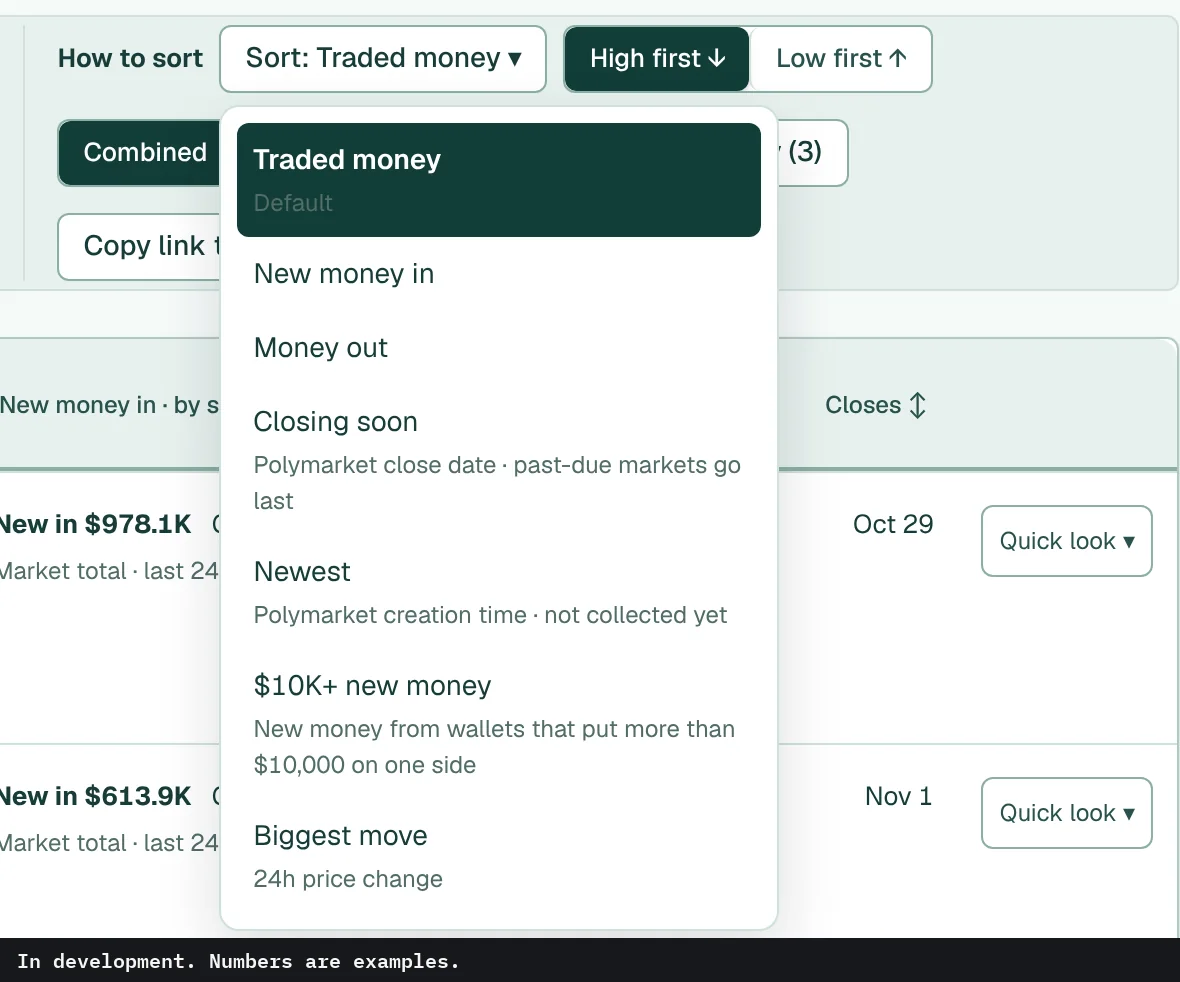
Sort menu open. In development. Numbers are examples.

Sort menu

A few options carry a short note in the menu. Closing soon, for one, goes by Polymarket's close date and puts past-due markets last.

Quick look

Opens a market's betting numbers inside the list. Good for checking three or four markets without opening each page.

Quick look open inside the market list. In development. Numbers are examples.

↑ All features

03 · Coming soon

Wallets

Open a wallet from a market or the list to see what it holds and what it just did.

Wallet list

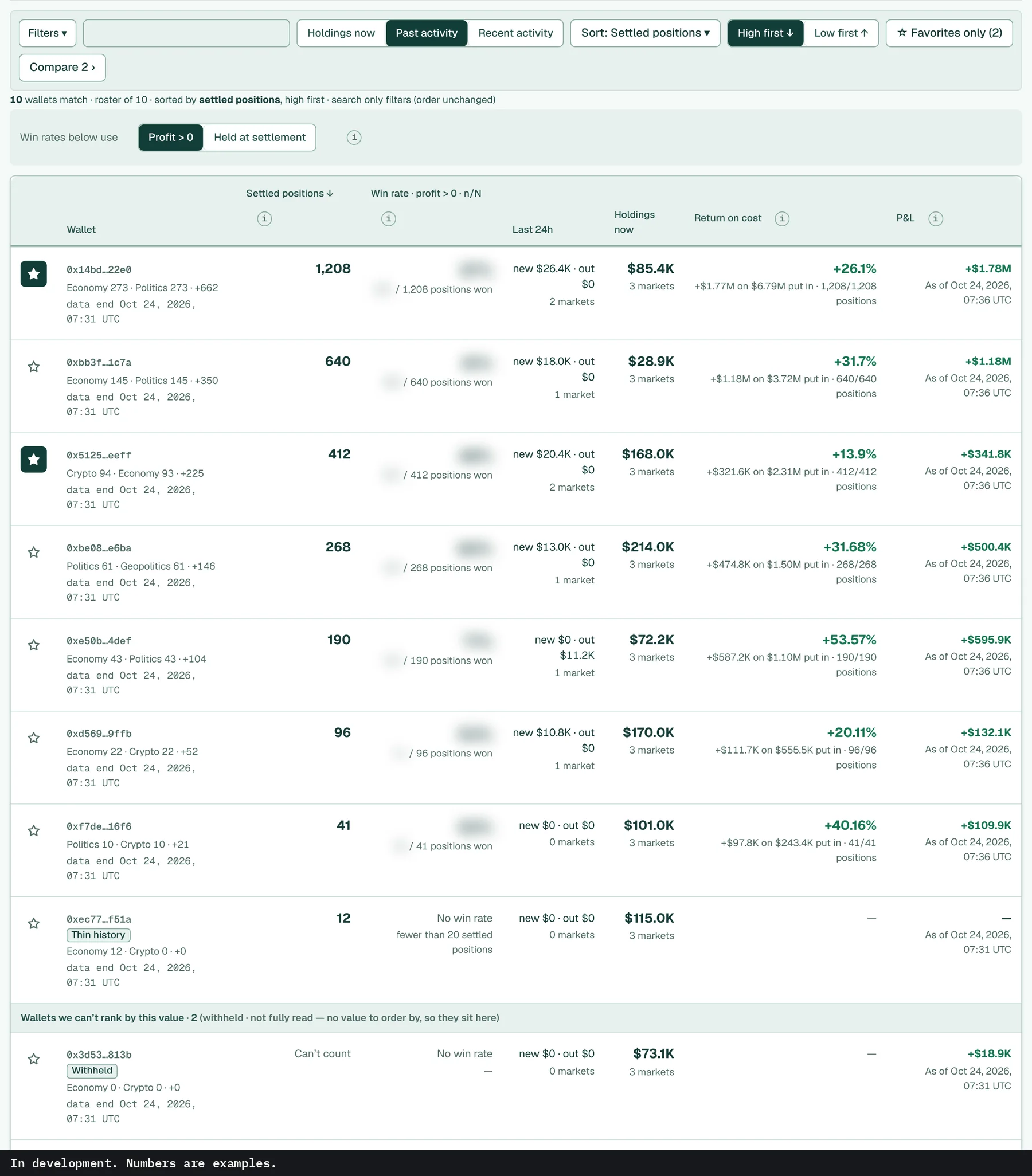
A list of wallets with how many settled positions each has, its win rate on those positions and P&L in our records, what it moved in the last 24 hours and what it holds now. Win-rate numbers are hidden in this preview. Wallets we can't fully read sit in their own group at the bottom instead of getting a rank.

Wallet list. In development. Numbers are examples.

Wallet page

Short address, a copy button, and when the data ends. The More menu has compare, CSV download and favorites. Then a few plain facts: largest single buy, first and last trade in our records.

Wallet page header. In development. Numbers are examples.

Holding now, and the last 24 hours

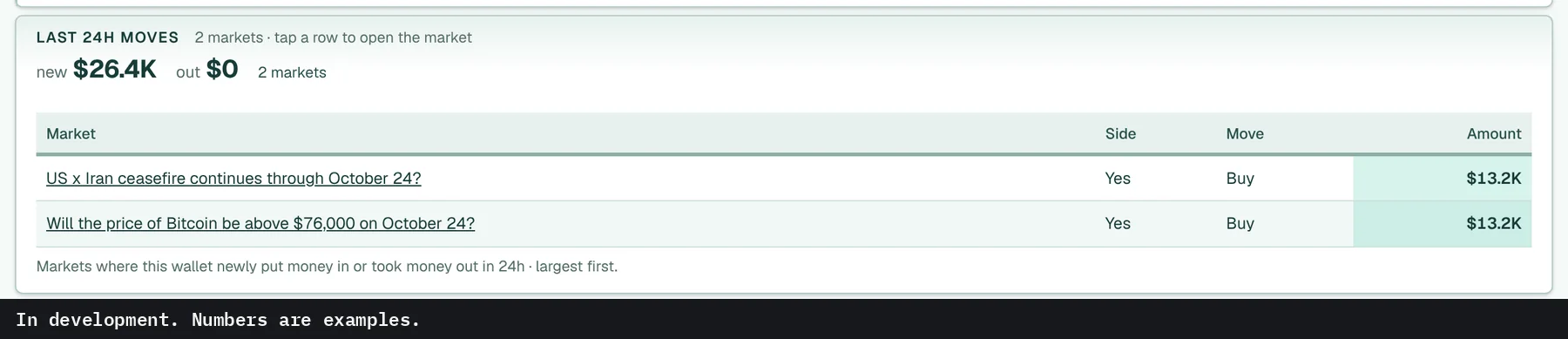
What the wallet holds right now, market by market and side by side. Below it, the markets where it put new money in or took money out over the last 24 hours, largest first.

Holding now, main markets. In development. Numbers are examples.
Holding now
Last 24h moves. In development. Numbers are examples.
Last 24h moves

Settled positions

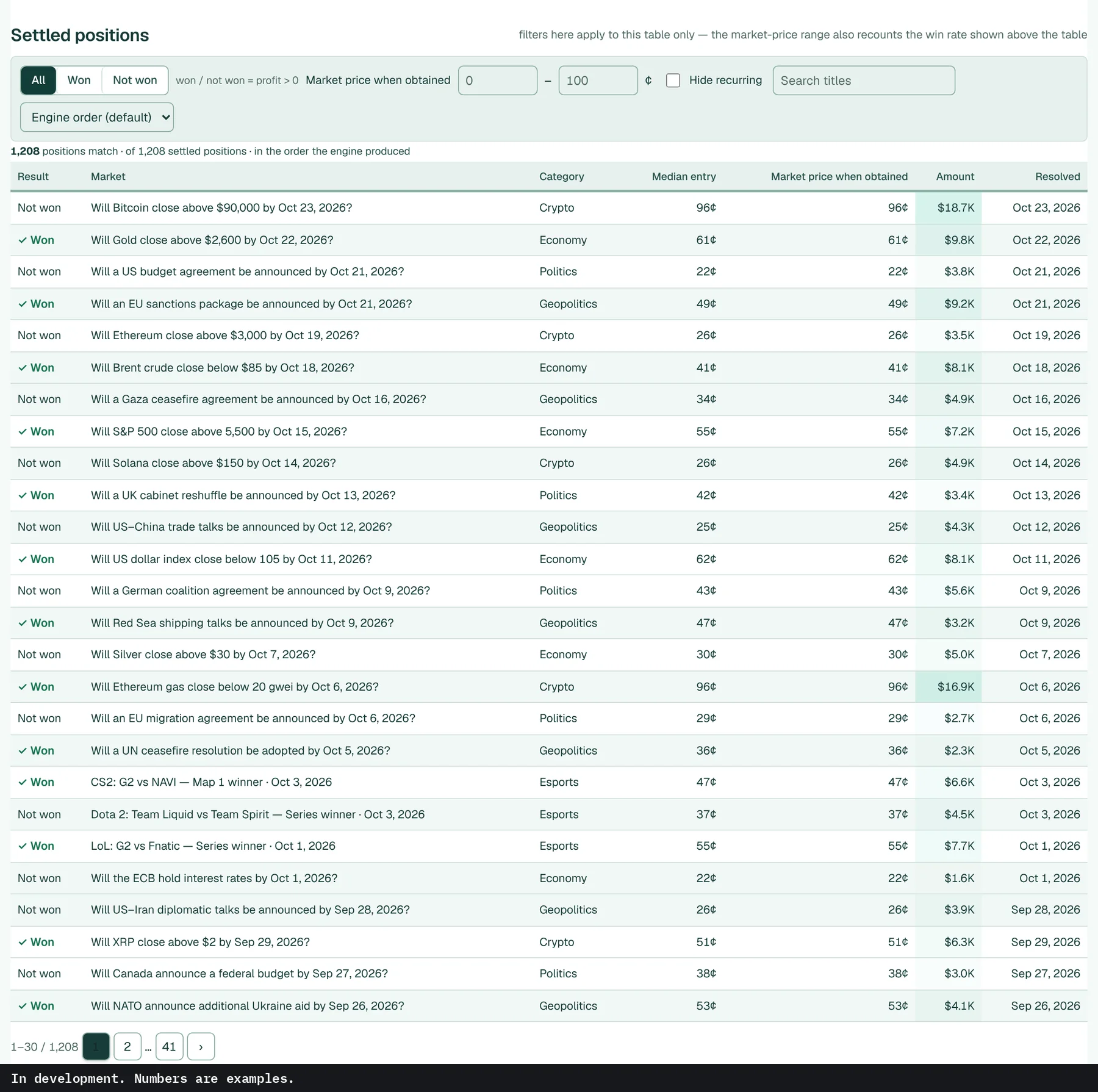
A wallet's settled positions in our records, with its median entry price.

Settled positions in our records for this wallet, one per market, with the result, category, median entry, market price when obtained, amount and the date it resolved. Show only won or not won, filter by market price when obtained, hide recurring markets, search titles, or sort by amount or entry price.

Settled positions table. In development. Numbers are examples.

Distribution, transfers, your own label

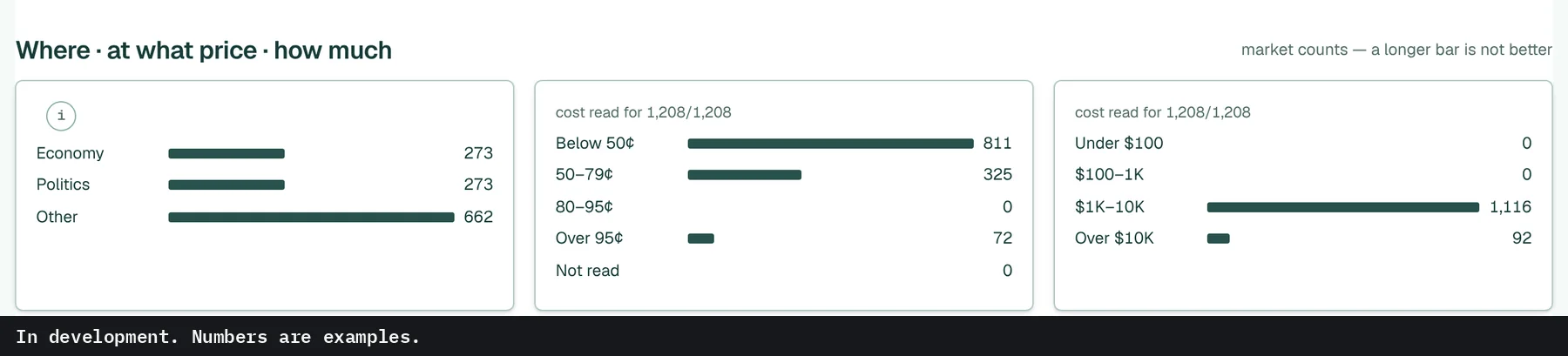
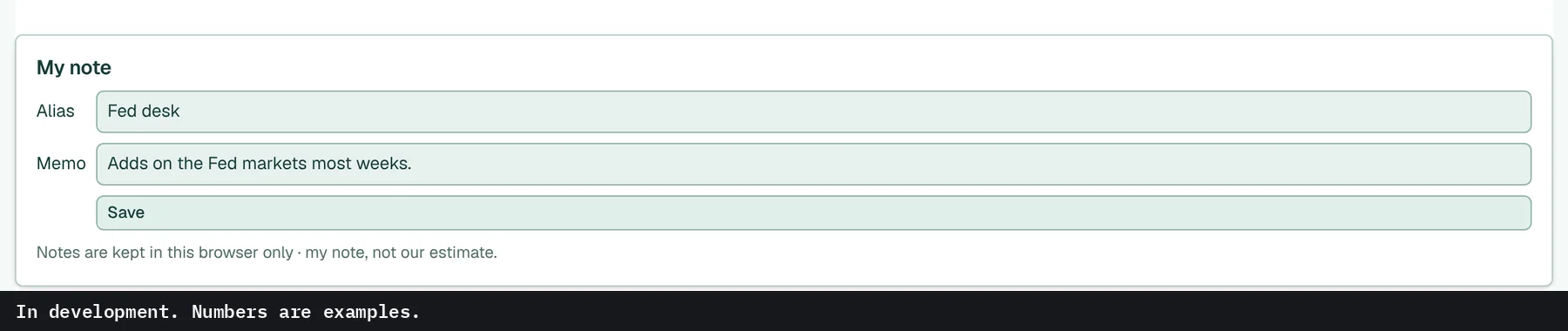
Settled markets counted by category, by entry price and by trade size, where a longer bar only means more markets. Transfers lists shares sent to or received from other wallets, kept apart from trades. You can also give a wallet your own alias and memo, kept in this browser.

Distribution by category and trade size. In development. Numbers are examples.
Distribution
Transfers. In development. Numbers are examples.
Transfers
Alias and memo. In development. Numbers are examples.
Alias and memo

↑ All features

04 · Coming soon

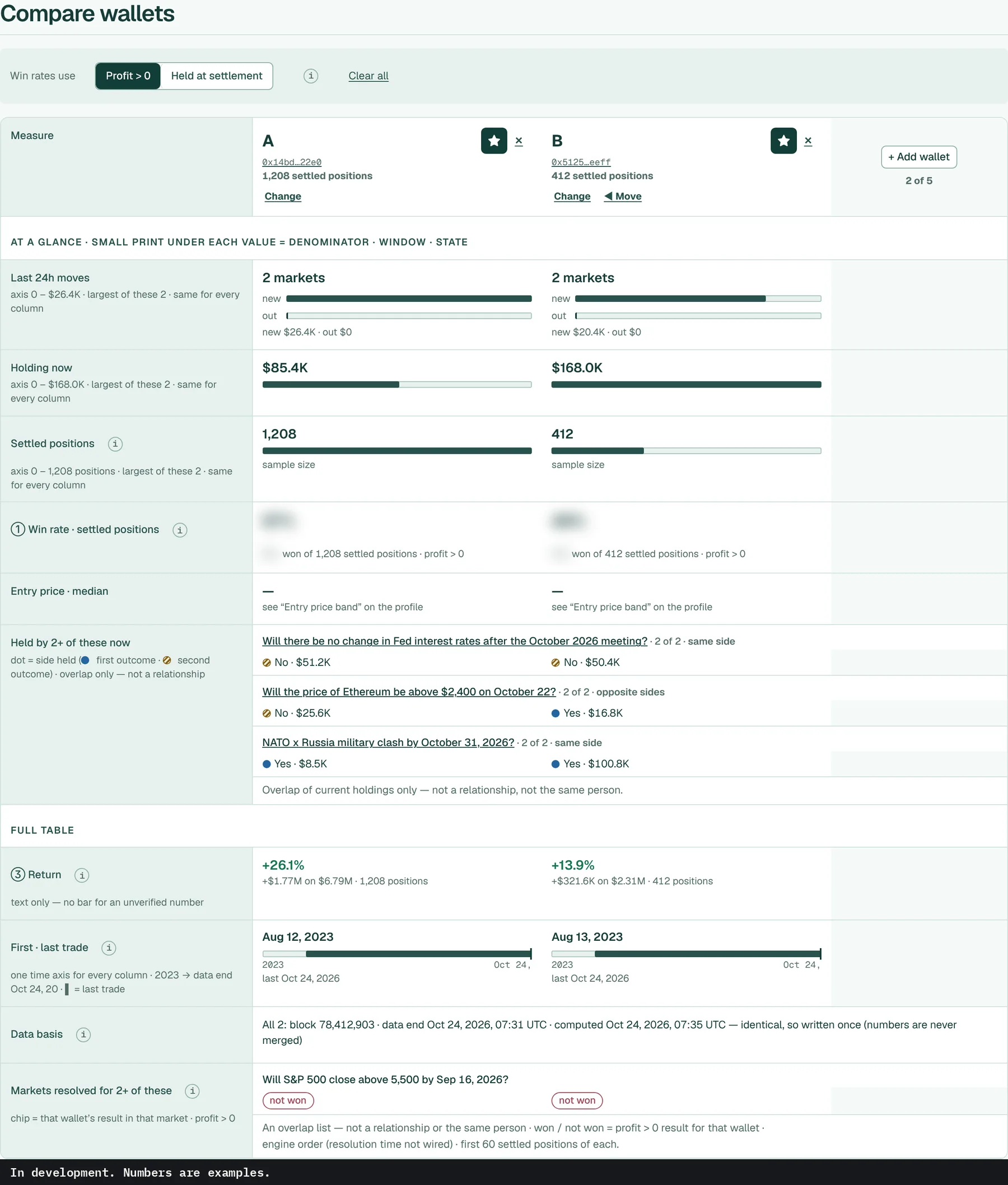
Compare wallets

Put wallets next to each other in columns.

Same scale, side by side

It shows overlap only, not who owns what.

Each row uses one scale across the columns: last 24h moves, holdings now, settled positions in our records with the win rate next to that count, return, first and last trade. Win-rate numbers are hidden in this preview. Markets that two or more of them hold right now are listed with the side each one is on. That shows overlap only. It says nothing about who owns what.

Compare wallets table. In development. Numbers are examples.

↑ All features

05 · Coming soon

Favorites, notes, activity, search

The parts you set up yourself.

Favorites

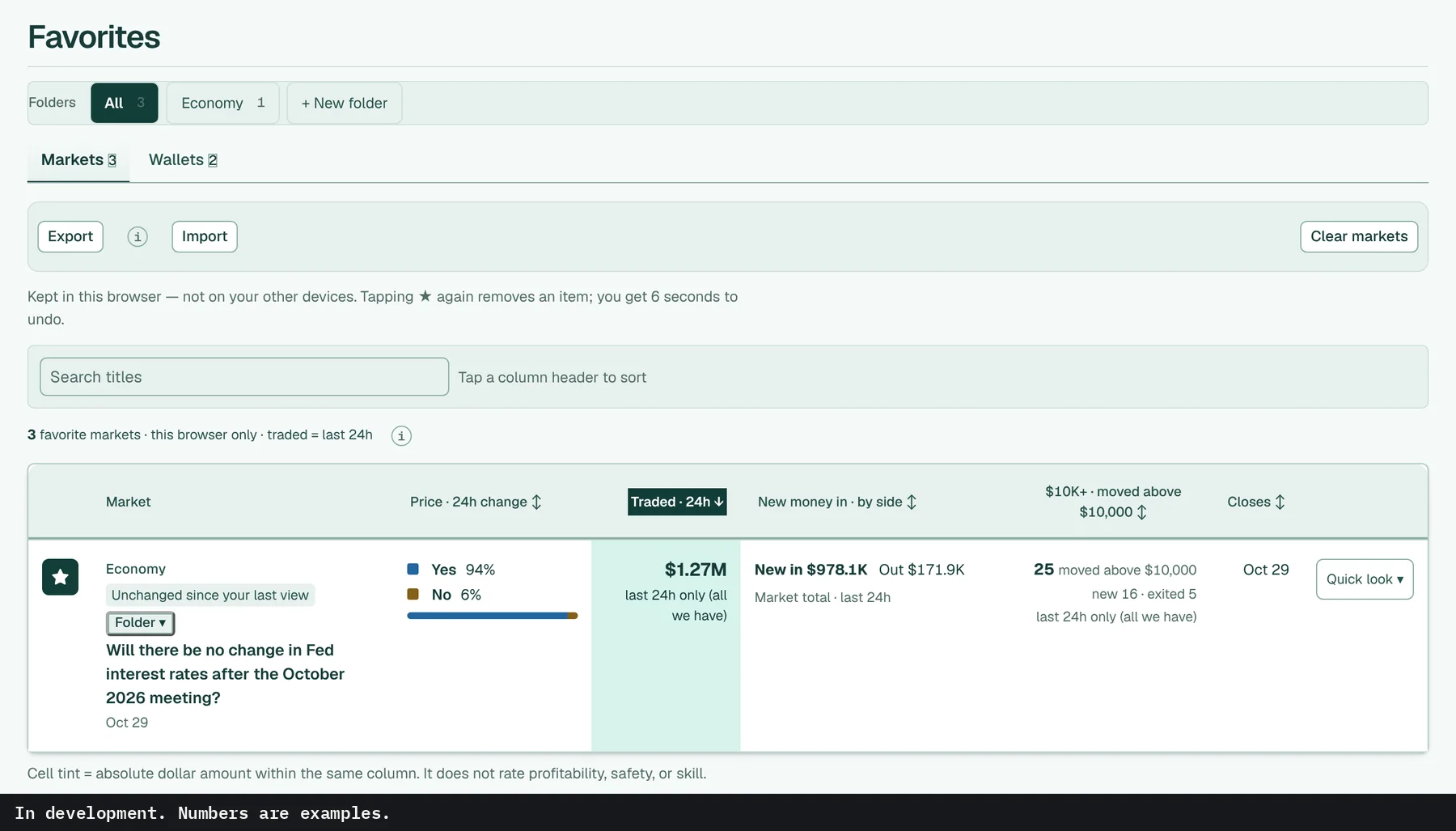
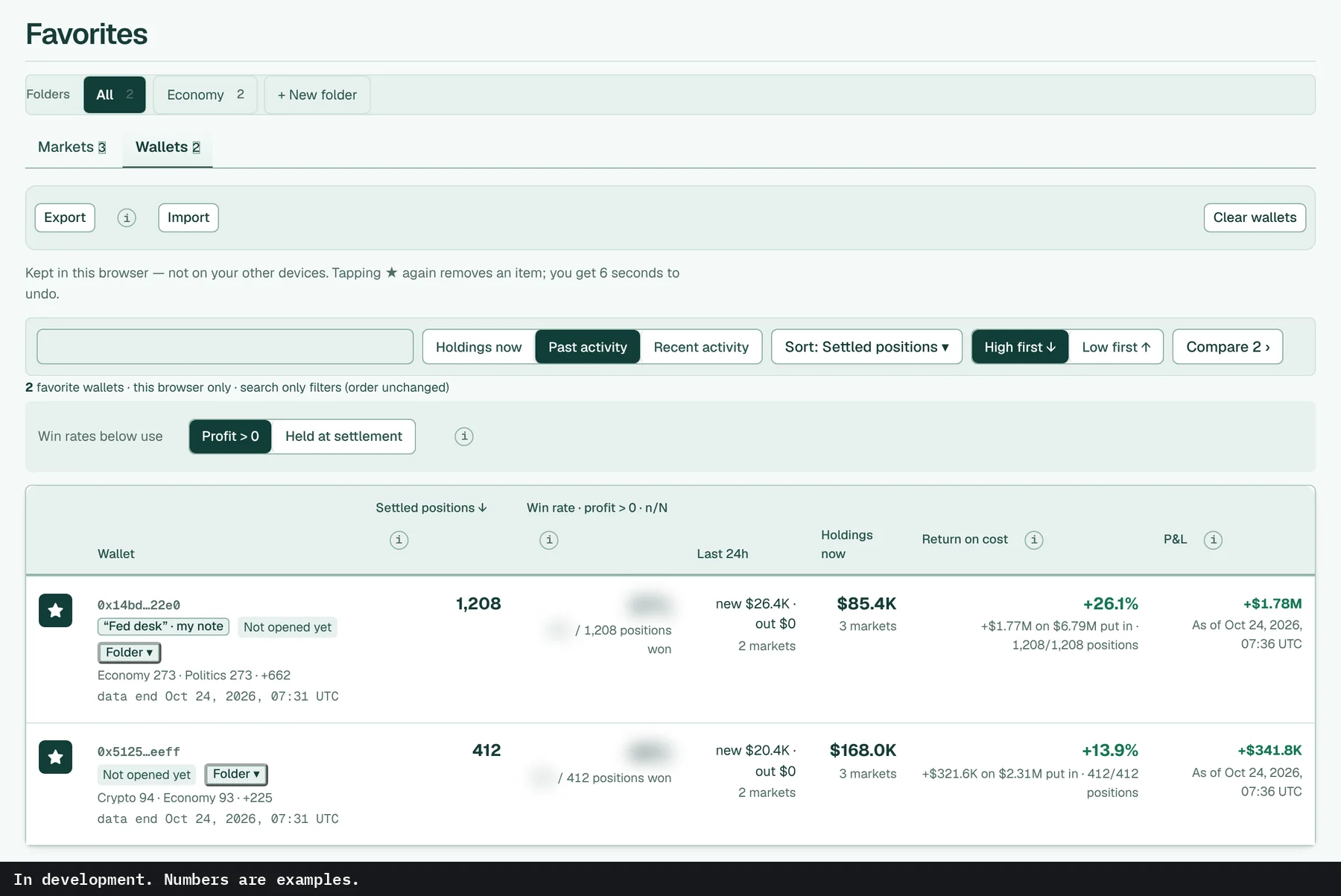
Star markets and wallets, then sort them into folders. A small label tells you whether anything changed since you last looked. Export or import the list as text. For now, it all stays in this browser.

Favorite markets with folders. In development. Numbers are examples.
Markets
Favorite wallets. In development. Numbers are examples.
Wallets

My notes

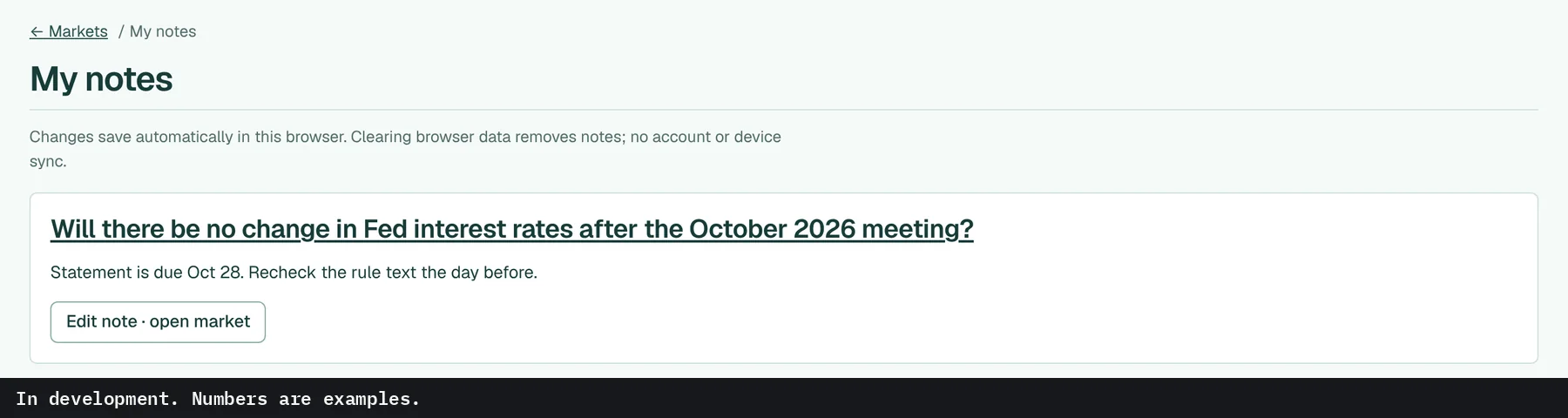
Every market note you've written, in one place, each with a link back to its market.

My notes page. In development. Numbers are examples.

Activity

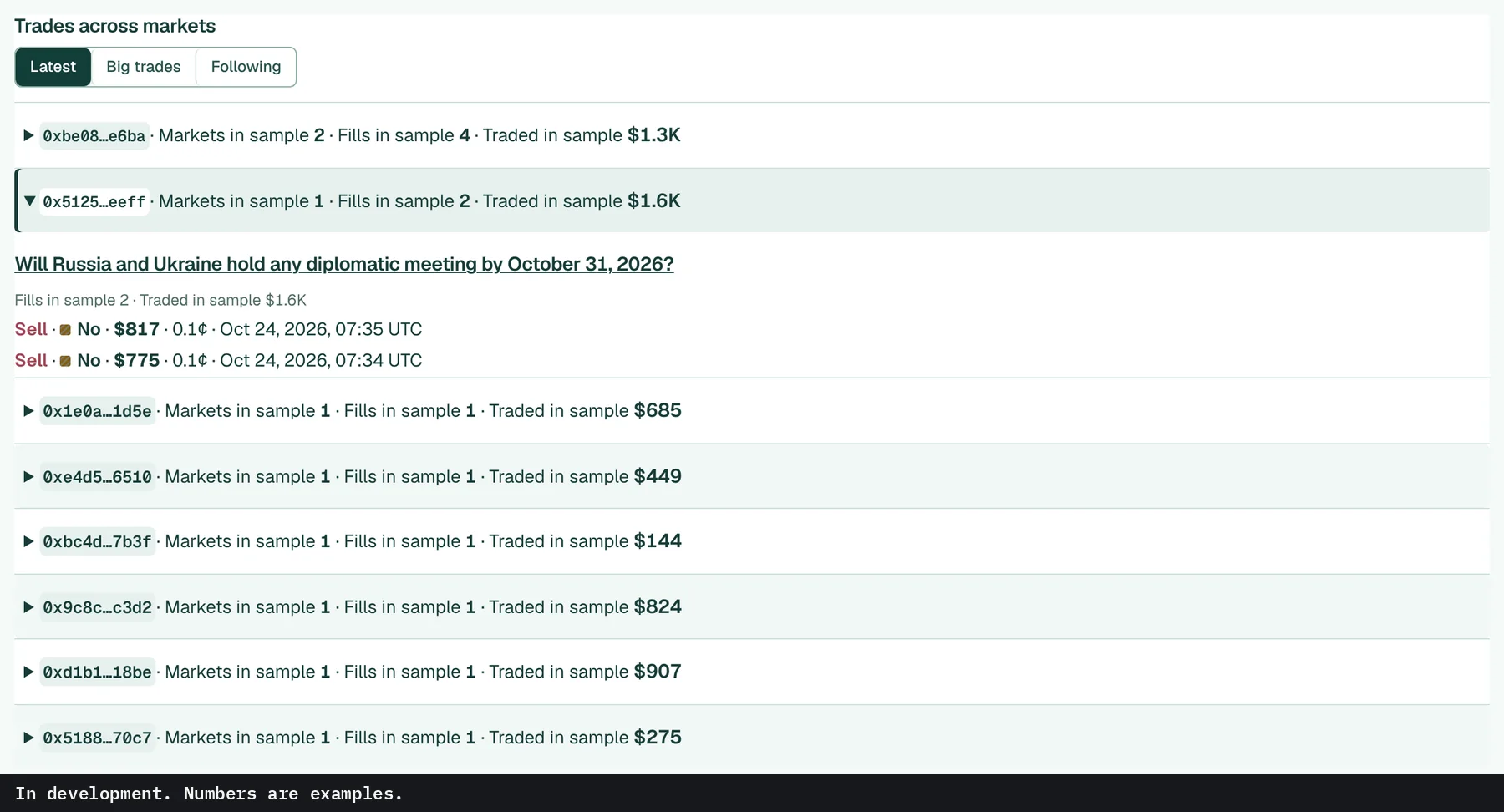
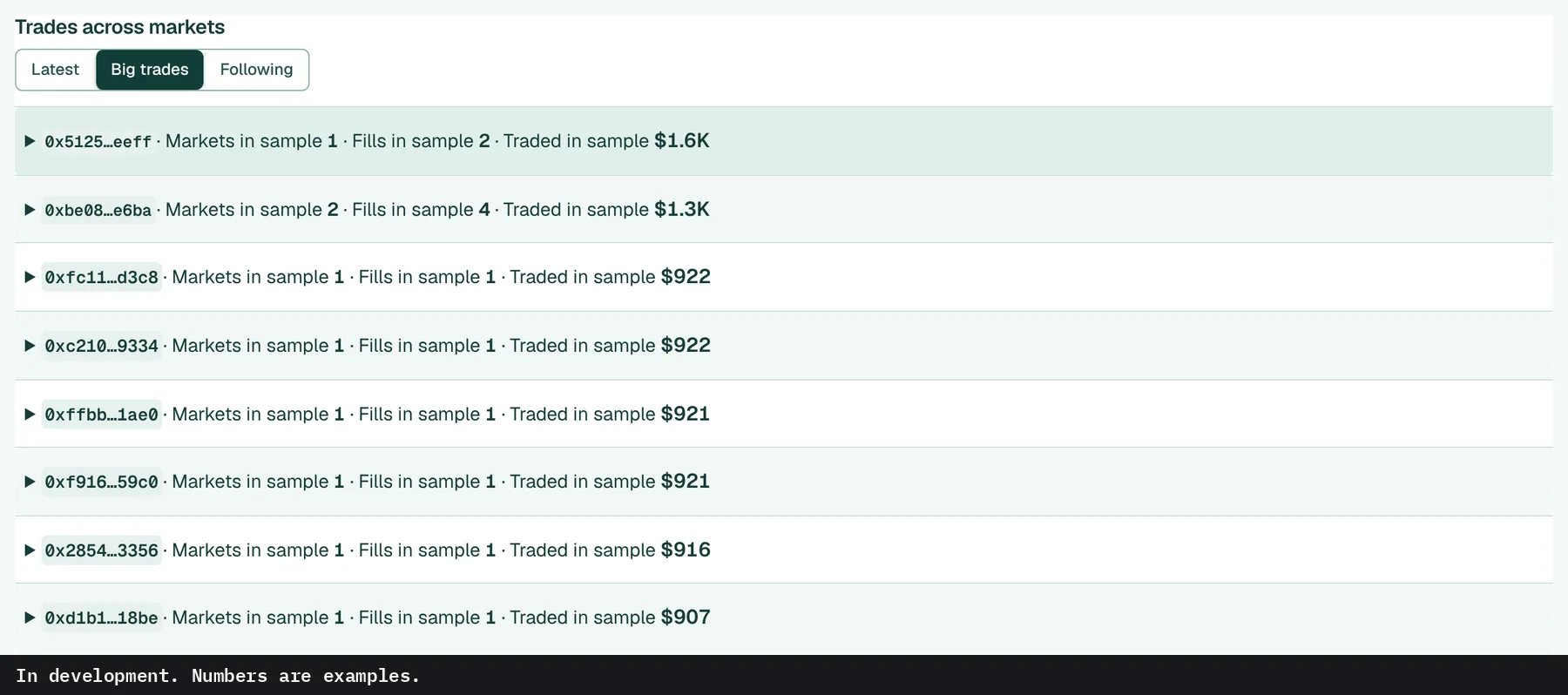
Trades across markets, grouped by wallet. Switch between the latest, the biggest, and only the wallets you follow.

Activity feed, latest. In development. Numbers are examples.
Latest
Activity feed, big trades. In development. Numbers are examples.
Big trades

↑ All features

06 · Coming soon

Also on the market page

The rest of a market page: header, chart, order book and notes.

Header

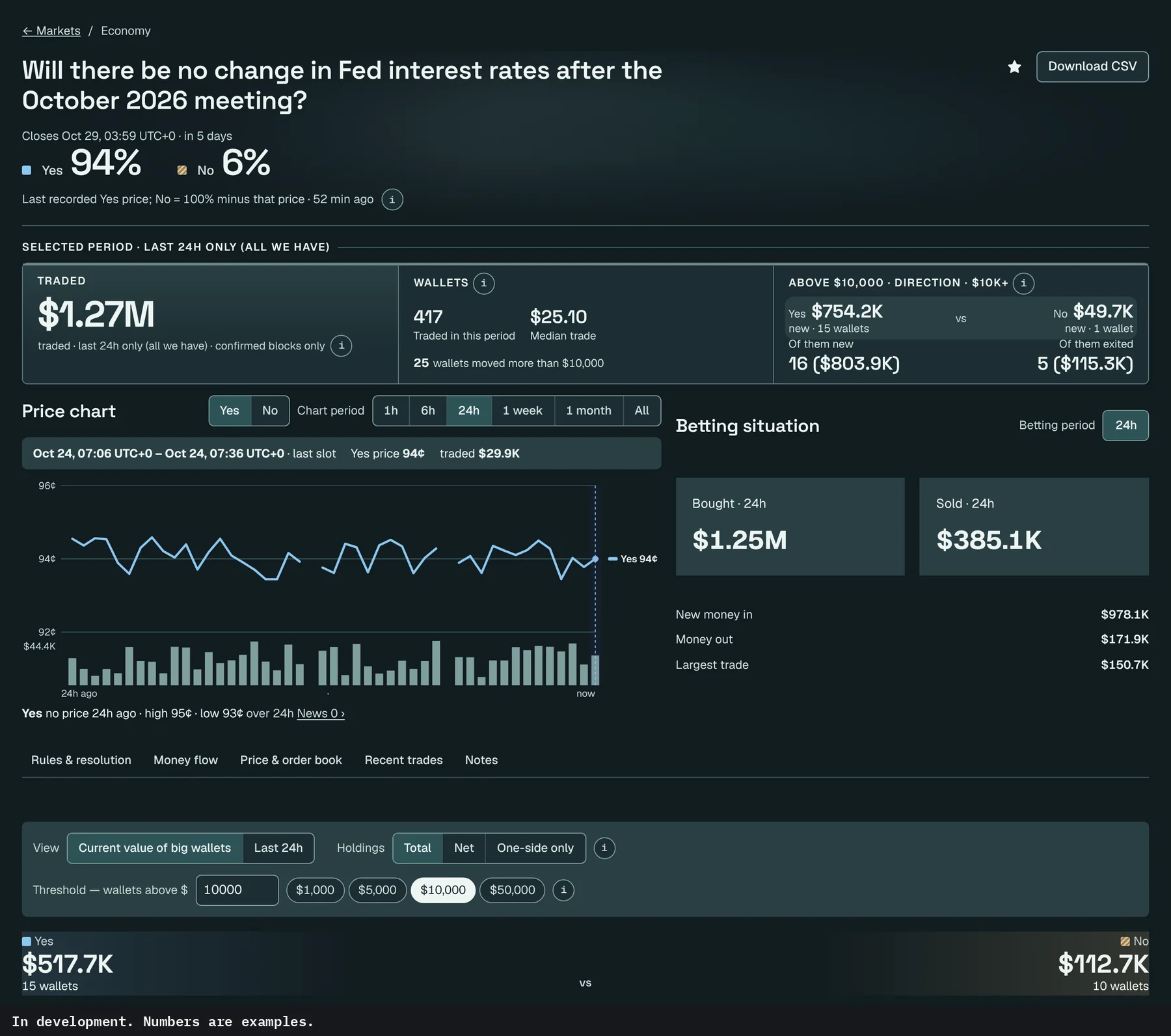
Title, close time in your own time zone, and the last recorded Yes price, with No shown as 100% minus it. The star and a CSV download sit at the top right.

Market page header with price, close time, star and CSV download. In development. Numbers are examples.
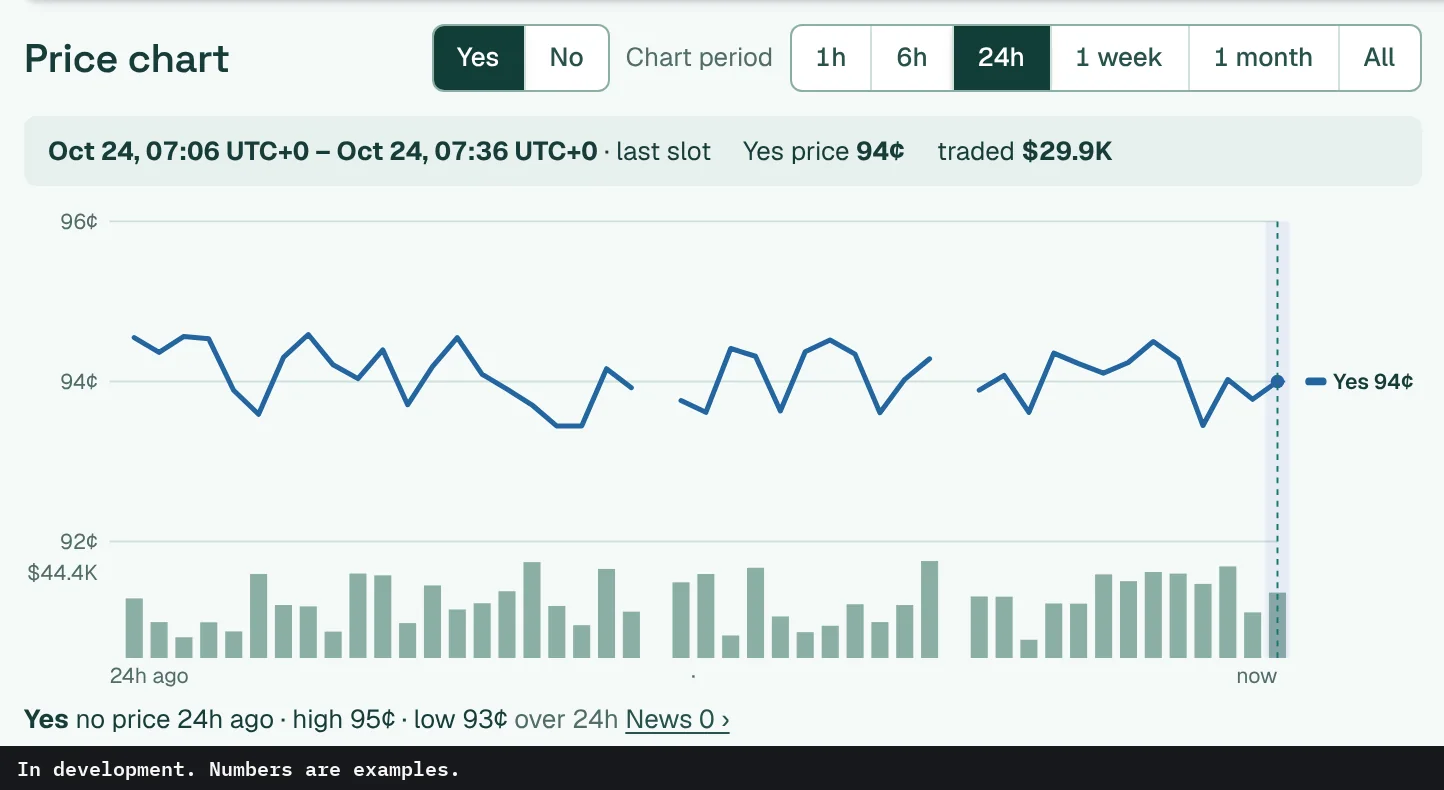
Price chart, Yes line, 24 hours. In development. Numbers are examples.
Price chart

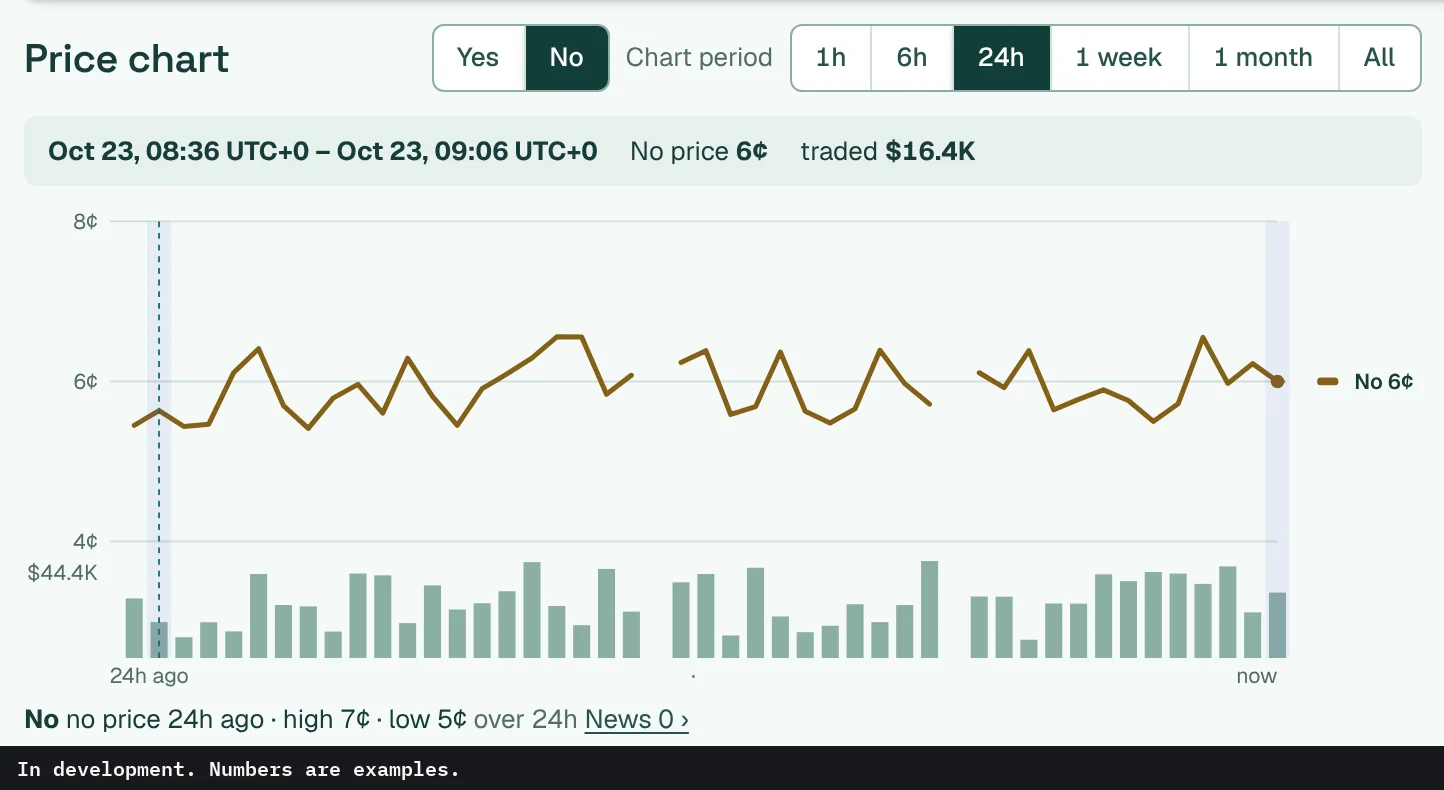
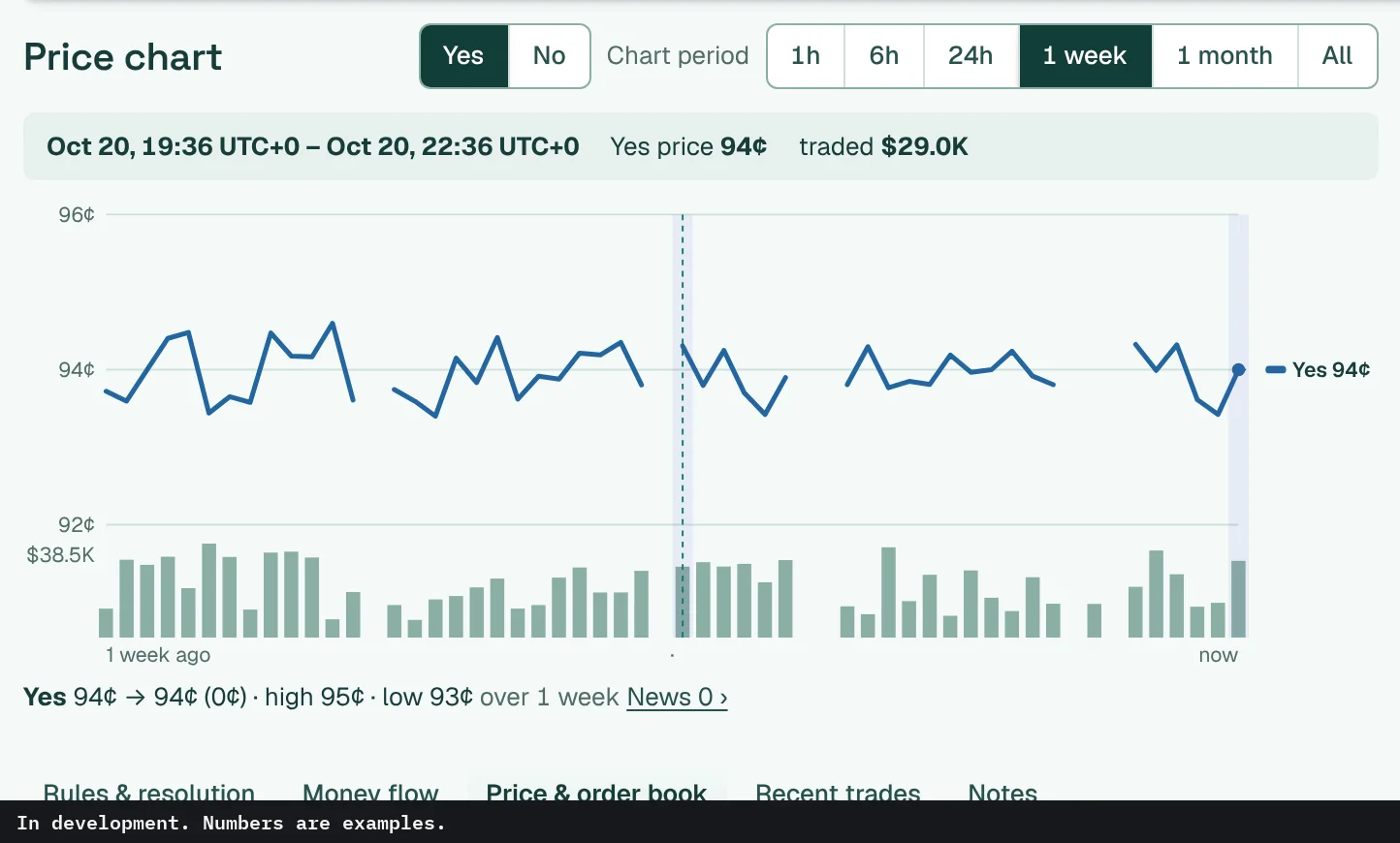
Traded money runs as bars under the price line, with the period's high and low printed below. Changing the chart period moves the chart only. The betting numbers keep their own period, 24h by default.

Yes or No, six periods

Switch the line between Yes and No, and pick 1 hour, 6 hours, 24 hours, 1 week, 1 month or all.

Price chart, No line, 24 hours. In development. Numbers are examples.

No · 24h
Price chart, Yes line, 1 week. In development. Numbers are examples.
Yes · 1 week

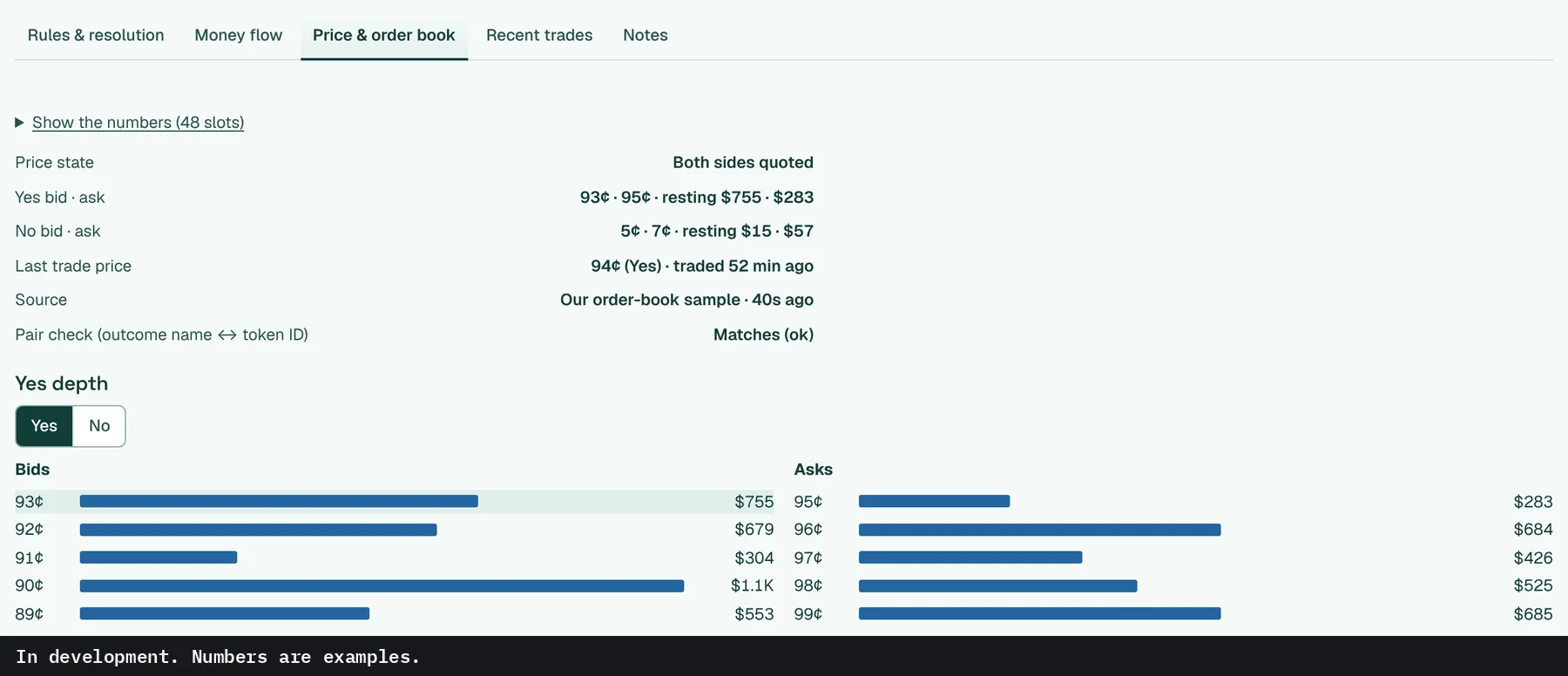
Price and order book

Best bid and ask on each side with the money resting there, plus depth by price level for Yes or No.

Price and order book tab. In development. Numbers are examples.

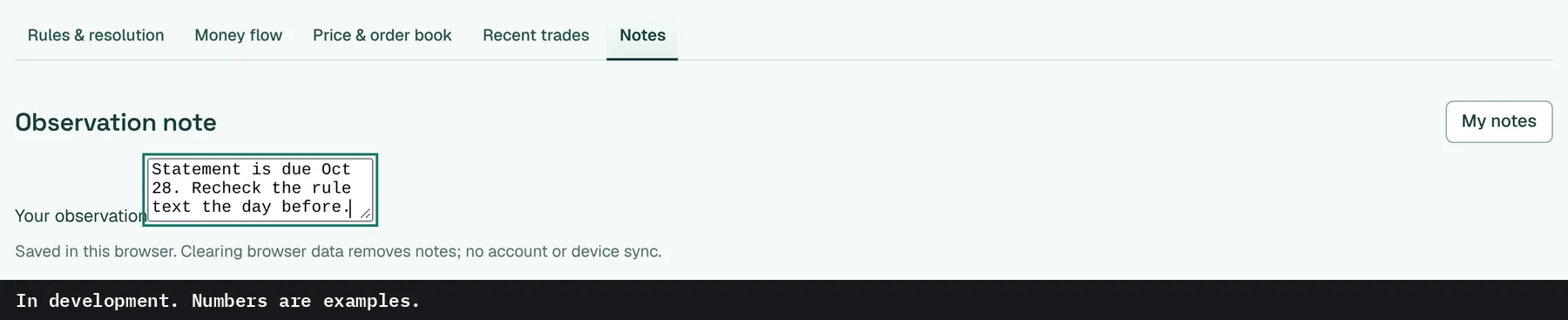
Notes

A private note on any market. It saves as you type and, for now, stays in this browser.

Notes tab on a market. In development. Numbers are examples.

↑ All features

07 · Coming soon

Refresh, settings, dark mode

How it behaves wherever you open it.

Refresh

The top bar shows when the numbers last updated.

The top bar says how long ago the numbers updated. It checks on a timer, so it's close to current rather than instant.

Top bar with update time. In development. Numbers are examples.
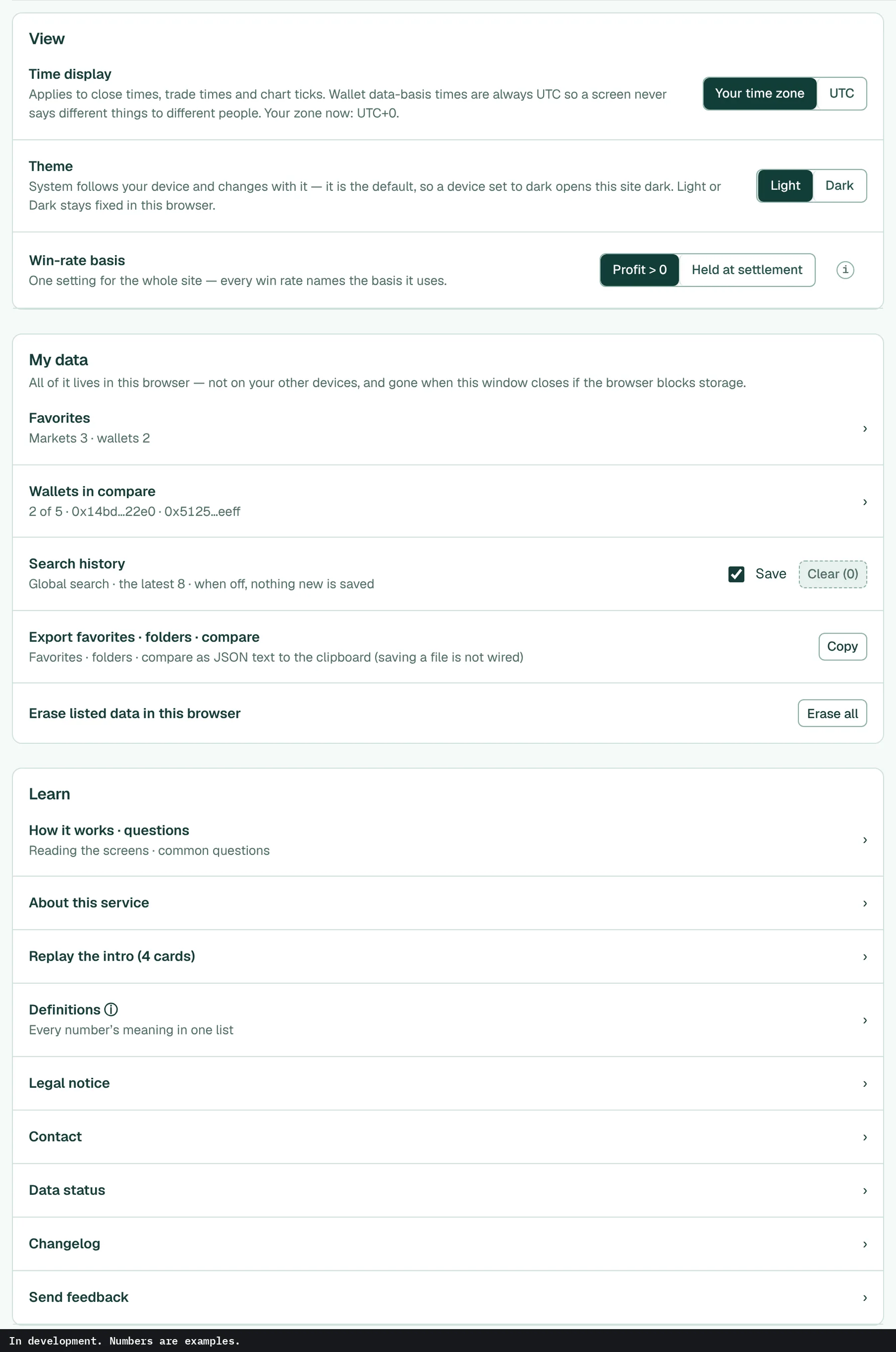
Settings page. In development. Numbers are examples.

Settings

Your time zone or UTC, light or dark, and the win-rate basis, counted per settled position: Profit > 0 or Held at settlement. For now, favorites, compare and search history are kept in this browser, and one button erases them.

Dark mode

It follows your device by default. Pick light or dark to keep one.

Market page in dark mode. In development. Numbers are examples.
Market page
Market list in dark mode. In development. Numbers are examples.
Market list

↑ All features

Something we counted

1,776 Polymarket markets had a side above 95¢ a day before trading ended. 10 went the other way.

Eight of the 10 were one bracket or candidate in a market where only one outcome wins.

Markets ending Sept 1 to Oct 19, 2026. Counted Oct 21, 2026 from Polymarket's public APIs. Not a klarero number.

How we counted

Markets with an endDate from Sept 1 to Oct 19, 2026 and 10K+ shares traded, where one side's price point a day before the market's last price point was above 95¢, and there was at least one taker buy of that side above 95¢ before then. Sports, recurring price markets, ties (50-50 resolutions) and some out-of-scope ones are left out. 3,241 markets had no price point a day before the end and are out. Most were esports matches opened under 24 hours earlier, so esports barely shows up.

Hourly price points, not trade prices.

When does it open?

No date yet. Sign up and you'll get the launch email that day.